Securing GForge on Apache httpd Server

Secure connections are integral to keeping your important information safe, on the Internet or your private company network. For years itâs been fairly simple â turn on SSL, buy a certificate and let the browsers ensure that your data stays private. Unfortunately, itâs no longer that simple.
Over the last 15 years, computing power, virtual servers and good, old-fashioned software bugs have all conspired to make much of the encryption plumbing from the last 15 years obsolete. In fact, itâs very likely that if youâre running Apache httpd and mod_ssl, youâre allowing protocols and ciphers that expose your server (and your data) to needless risk of compromise.
Note: If youâre a customer, and GForge Group manages your server, these security updates are already in place. Get in touch if you have any other questions.
Check Yourself
Itâs actually pretty easy to test your system, and it can be done in production, without affecting your current users.
For servers that are on the Internet, you can use an online scanner. Hereâs SSLLabs, from Qualys:
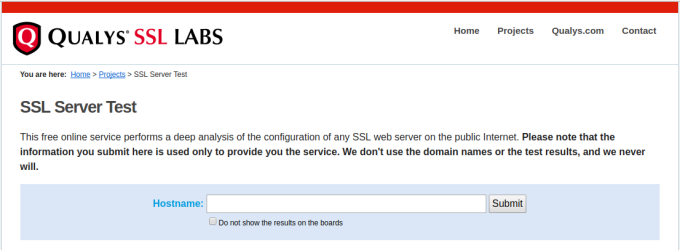
Enter your siteâs URL and click Submit. After a minute or two, youâll get output like this:
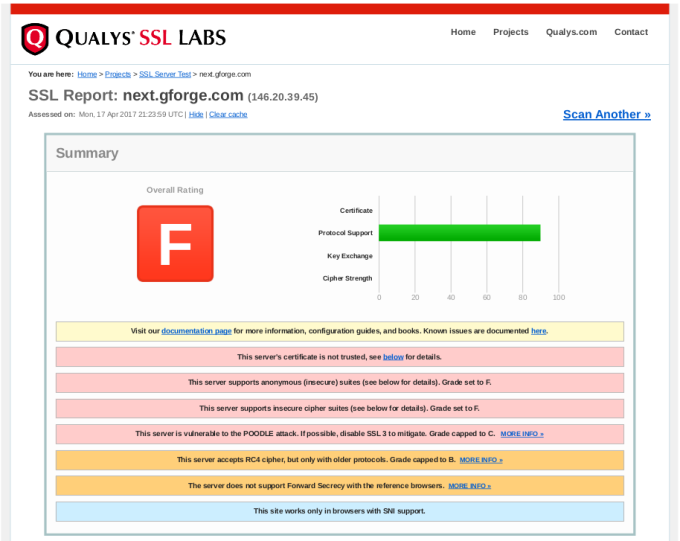
In the report details, you will find explanations of anything marked as a problem from your server, including how to close security holes that were found.
If your server isnât on the Internet (i.e., on your internal network), then youâll need to download and run scanning tools yourself. Here are some popular ones:
- TLS Observatory â An open-source scanner from Mozilla, written in Go. Youâll need the Go runtime to run this on your server or desktop, or you can use the Docker image. Performs scanning for both the SSL/TLS version and cipher suite(s) in use.
- Cipherscan â Another tool from Mozilla, written in Python.
Get With The Times
After running your scans, youâll need to decide what changes (if any) to make to your SSL configuration. Itâs important to understand that choosing the most up-to-date settings will leave out some older clients. Fortunately, Mozilla also has a great online tool to help you balance security with compatibility.

Give this tool your current version of Apache httpd and OpenSSL, and youâll get various choices for maximum security versus maximum compatibility.
Our Recommended Configuration
In the end, we went with the Modern configuration, but added the AES256-SHA256 cipher back to the list. This allows only TLS 1.2 (the most secure), but adding that one cipher back keeps compatibility with older non-browser clients like curl, so that existing SVN and git over HTTPS are not broken.
Hereâs the configuration snippet we recommend for GForge servers:
<VirtualHost *:443>
    ...
    SSLEngine on
    SSLCertificateFile /path/to/signed_certificate_followed_by_intermediate_certs
    SSLCertificateKeyFile /path/to/private/key
    # Uncomment the following directive when using client certificate authentication
    #SSLCACertificateFile /path/to/ca_certs_for_client_authentication

   # HSTS (mod_headers is required) (15768000 seconds = 6 months)
    Header always set Strict-Transport-Security "max-age=15768000"
    ...
</VirtualHost>

# modern configuration, tweak to your needs
SSLProtocol all -SSLv3 -TLSv1 -TLSv1.1
SSLCipherSuite AES256-SHA256:ECDHE-ECDSA-AES256-GCM-SHA384:ECDHE-RSA-AES256-GCM-SHA384:ECDHE-ECDSA-CHACHA20-POLY1305:ECDHE-RSA-CHACHA20-POLY1305:ECDHE-ECDSA-AES128-GCM-SHA256:ECDHE-RSA-AES128-GCM-SHA256:ECDHE-ECDSA-AES256-SHA384:ECDHE-RSA-AES256-SHA384:ECDHE-ECDSA-AES128-SHA256:ECDHE-RSA-AES128-SHA256
SSLHonorCipherOrder on
SSLCompression off
SSLSessionTickets off

# OCSP Stapling, only in httpd 2.3.3 and later
SSLUseStapling on
SSLStaplingResponderTimeout 5
SSLStaplingReturnResponderErrors off
SSLStaplingCache shmcb:/var/run/ocsp(128000)